Step-by-Step Process of BCMR Provisional Registration Online on BCMR Portal Before Internship
Introduction
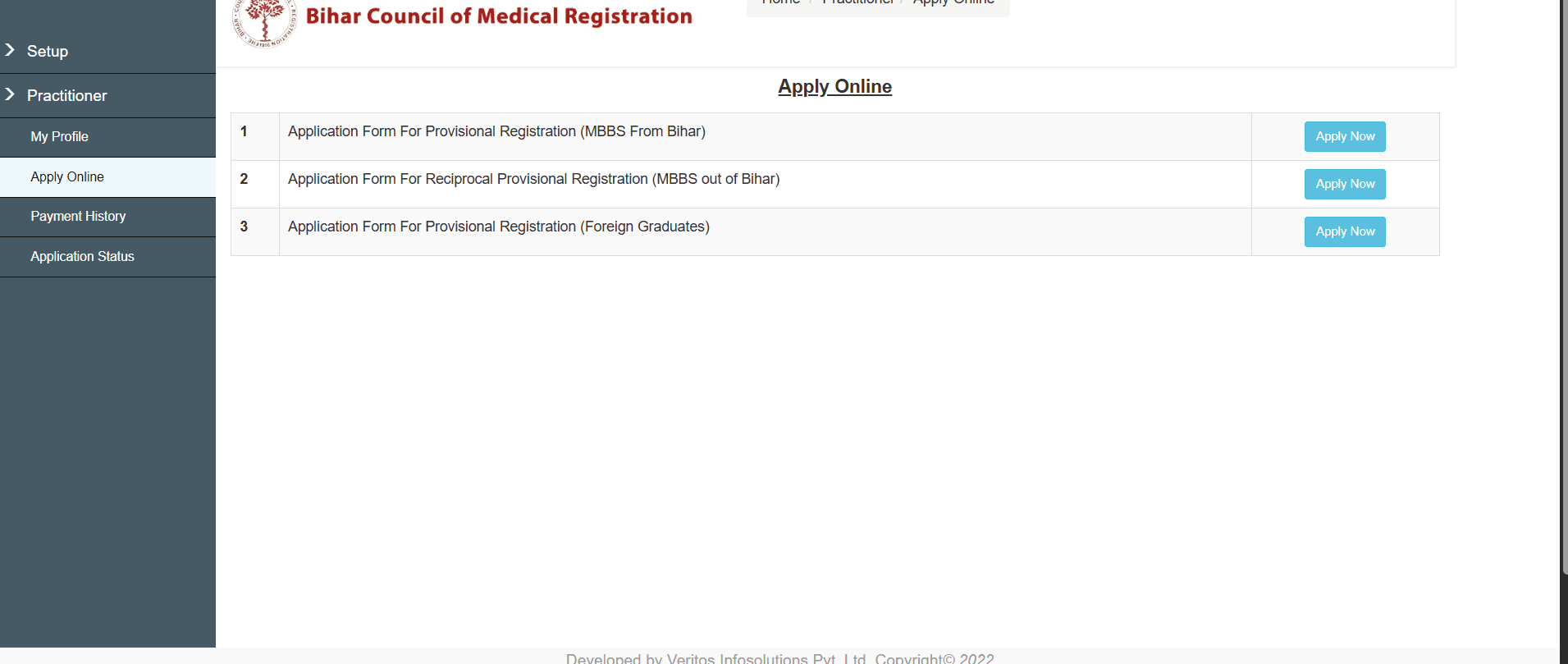
After successfully passing the Final Professional MBBS Examination, every medical graduate from universities in Bihar is required to obtain BCMRProvisional Registration from the Bihar Council of Medical Registration (BCMR) before beginning the one-year Compulsory Rotating Medical Internship (CRMI) in their respective medical colleges and hospitals, as mandated by the National Medical Commission (NMC).
Without obtaining the BCMR Provisional Registration Certificate, students cannot legally commence their internship.
This guide explains the complete online process of BCMR Provisional Registration, required documents, payment procedure, important instructions, and offline verification process at the BCMR office.
Important: This registration process is applicable only for MBBS graduates who have completed their MBBS from universities situated in Bihar.
Table of Contents
Before You Begin
Students are advised to collect all necessary documents from their respective medical colleges well before the registration deadline.
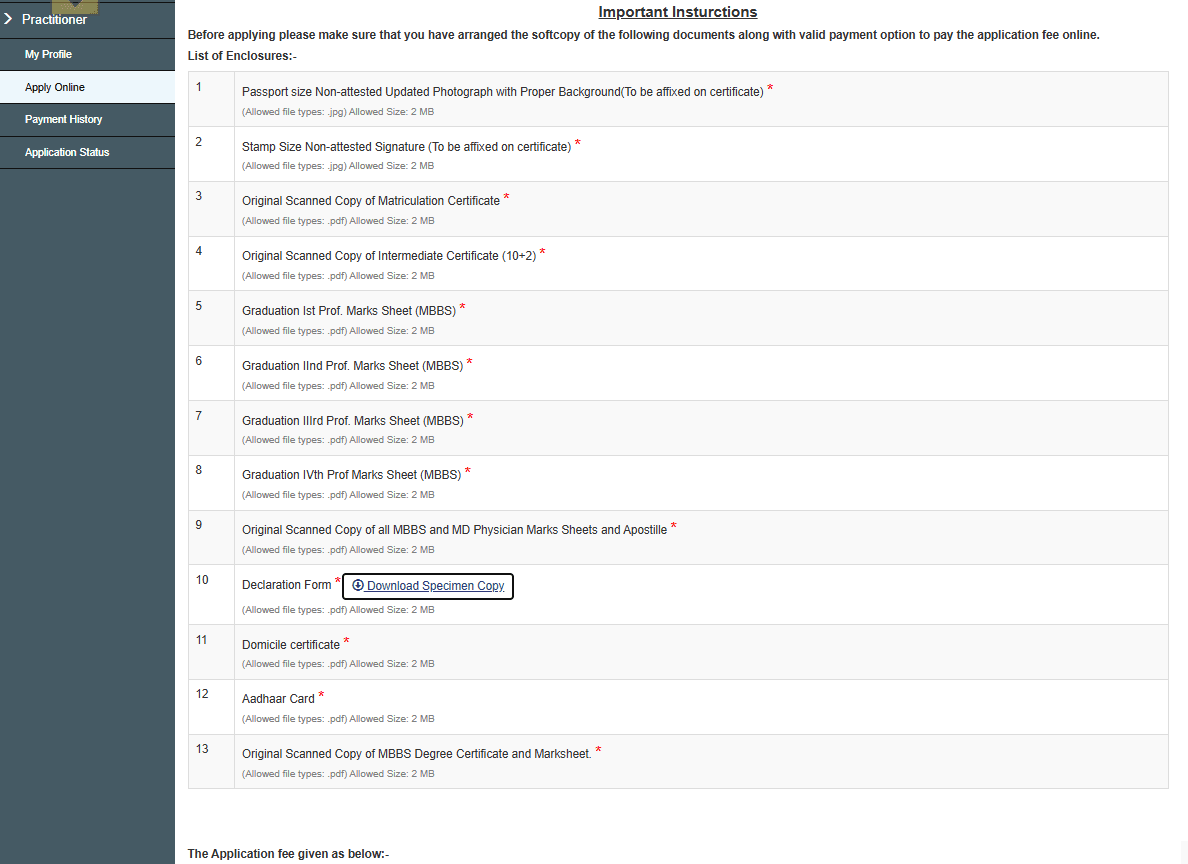
These generally include:
Final MBBS Marksheets
Marksheet of all four prof exams
MBBS Degree Certificate
X th and XII th original marksheet submitted before admission
Students should complete the online BCMR Provisional Registration on or before the date and time allotted by BCMR.
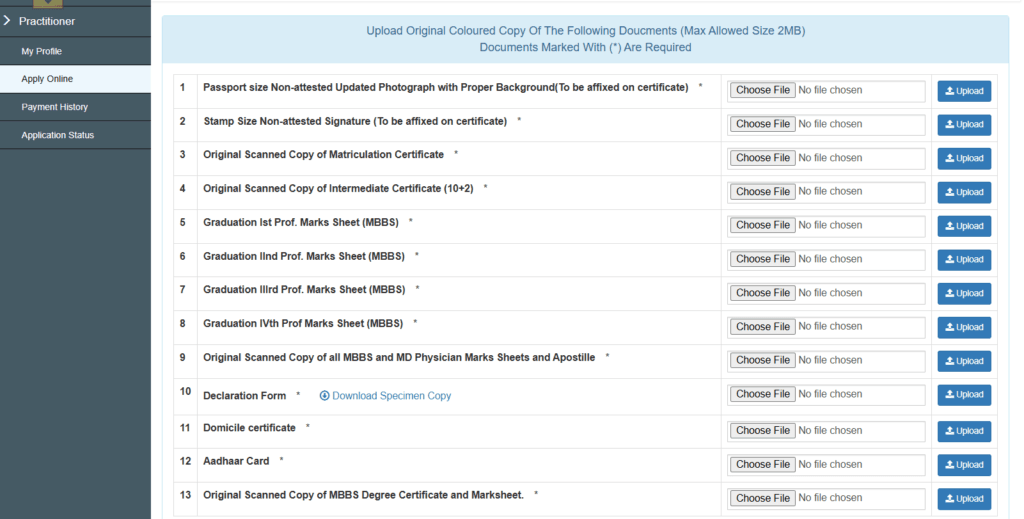
On the 9th section you will be asked for ‘Originally Scanned Copy of All MBBS and MD physician Marksheet and Apostille‘ You Just have to compile all the marksheet of all four prof exams in single PDF and upload it.
Domicile certificate : Submit the same domicile certificate, which was submitted at the time of admission before MBBS. In case of unavailability, apply for domicile certificate online, after payment you will receive a provisional domicile certificate on your email id.
On 13th section you will have to upload ‘MBBS degree certificate, obtained from college/university, in case of unavailability, college will provide a provisional degree certificate signed by Principle of respective institutions.
Self Declaration Form (Very Important)
During the registration process, students will be required to download the Self Declaration Form.
The following steps must be followed carefully:
✔ Download the form and take a printout.
✔ Read the declaration carefully and fill it manually in your own handwriting, then sign it.
✔ Scan and Upload it again in PDF format.
NOTE :Computer-typed or digitally filled declaration forms are NOT permitted. Only handwritten declaration forms will be accepted.
Step 7
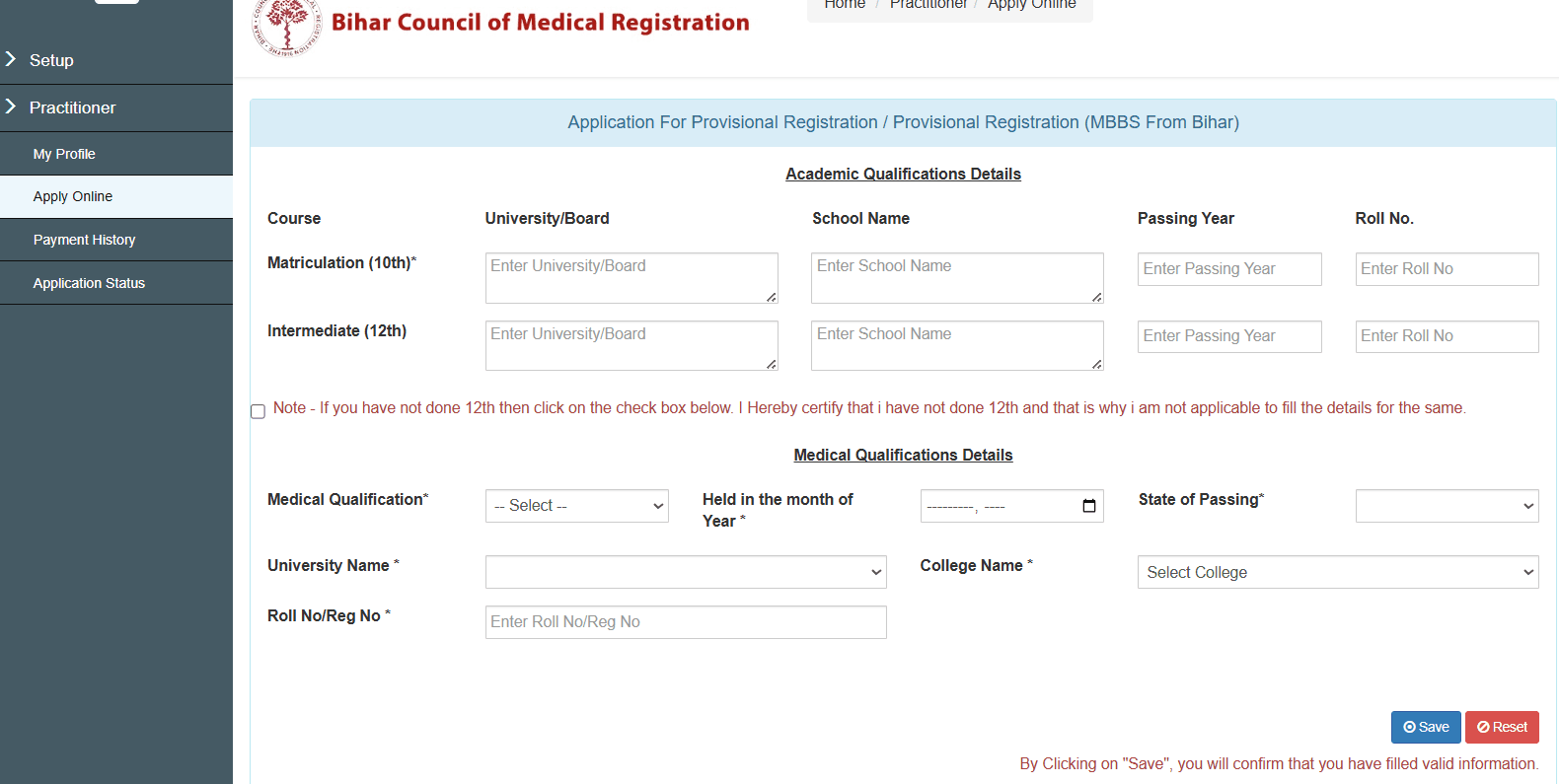
Fill all the Academic Details carefully and click on SAVE.
Step 8
Upload all the documents carefully in PDF and JPEJ format and proceed for Payment.
Step 9
Payment Process : After successfully uploading all documents, click on & Pay Now
You will be redirected to the SBI Collect Portal, then Search: Bihar Council of Medical Registration
Complete the payment using:
UPI
Debit Card
Credit Card
Net Banking
Other available payment methods
Registration Fee
₹1000
Payment Failure? Don’t Register Again!
This is one of the most common mistakes made by students. If payment fails,
❌ DO NOT create a fresh registration.
Instead, Go to Application Status then Resume your previous application and complete the pending payment.
Download Payment Receipt (Mandatory)
After successful payment, immediately download the Payment Receipt and Keep:
Soft Copy
Multiple Hard Copies
This receipt is extremely important. Students may be asked to produce the payment receipt during offline verification at the BCMR office.
Important:Once lost, the payment receipt may not be available for download again at the BCMR Provisional Registration portal. Therefore, download and save it immediately after payment.
Step 10
Upload Payment Receipt
Again login to BCMR Provisional Registration portal by entering your login details then go to Application Status and Upload the payment receipt. After uploading, Print the final application and keep multiple copies for future reference.
Offline Verification at BCMR Office
Completion of the online application does not complete the registration process.
Students must also visit the BCMR Office on the date allotted by the Bihar Council of Medical Registration between 9AM to 1PM strictly. The schedule is usually communicated through the respective medical colleges.
Students should strictly report on the allotted date and time.
Important : Keep the original copy of BCMR Provisional Registrationverification slip safely and keep multiple copies of it both in hard and soft copy format. You will be asked to provide the verification slip after completion of Internship and at the time of permanent registration at BCMR office.
Documents to Carry During Offline Verification
Carry both original documents and photocopies wherever applicable.
Mandatory documents include:
Printed BCMR Application
Payment Receipt
Aadhaar Card
Passport Size Photographs
Class 10 Certificate
Class 12 Certificate
All MBBS Marksheets
MBBS Degree Certificate (if available)
Domicile Certificate
Self Declaration Form (copy)
Any additional documents instructed by BCMR or your college
Important Instructions for BCMR Provisional Registration
✔ Complete registration before the allotted deadline.
✔ Collect all documents from your medical college well in advance.
✔ Keep scanned copies ready before beginning registration.
✔ Photograph and signature must be in JPEG format (under 100 KB).
✔ Upload all documents in PDF format (maximum 2 MB).
✔ Fill the Self Declaration Form manually.
✔ Do not create a new application if payment fails.
✔ Download and preserve the payment receipt immediately.
✔ Print the application form after submission.
✔ Carry all original documents during offline verification.
✔ Visit BCMR Office only on the allotted schedule communicated through your college.
No responses yet